Public beta · TestFlight
Try Konote before the App Store
One TestFlight link installs Konote on iPhone, Apple Watch, iPad and Mac. The beta is free.
Places are limited. When the beta is full, you join the waitlist. If TestFlight says the beta is full, leave your email and we’ll write when a place opens.
Thanks, you’re on the beta waitlist. We’ll email you when a place opens.
Thanks, you’re on the beta waitlist. We’ll email you when a place opens.
That doesn’t look like an email address. Check it and try again.
Too many tries from this network. Try again in a few minutes.
Something went wrong on our side. Try again in a moment.
Devices
What you can install it on
Every device needs version 26 or later.
-
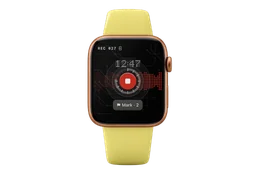
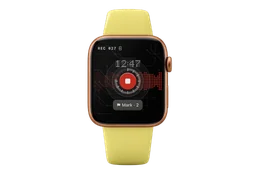
Apple Watch
One tap on the watch face starts recording.
watchOS 26 or later · comes with the iPhone app
-
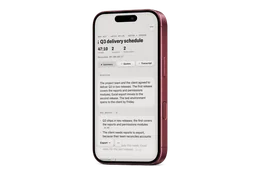
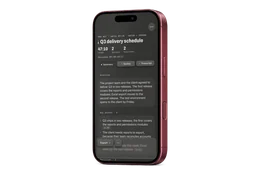
iPhone
Records, transcribes on the phone and keeps your notes.
iOS 26 or later
-
iPhone Duo
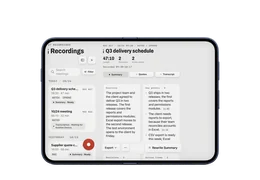
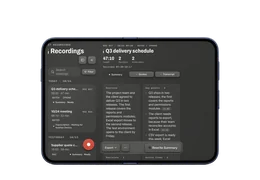
Open on its side, the list and the meeting sit side by side. Folding it keeps the recording going.
iOS 27 or later
-
iPad
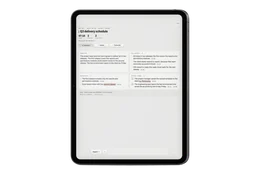
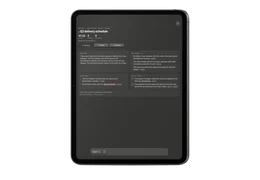
Records like the iPhone, with more room to read.
iPadOS 26 or later
-
Mac
Records meetings in the room and both sides of online calls.
macOS 26 or later
Install
How to install it
Four steps, and the same link on every device.
- 01
Install TestFlight
Apple’s free app, from the App Store; on a Mac, from the Mac App Store.
- 02
Open the beta link
Open the link above on the device you’re installing on. TestFlight opens.
- 03
Accept
TestFlight shows Konote. Tap Accept (on a Mac, click it).
- 04
Install
Tap Install. Updates come through TestFlight too.
- Apple Watch
- The watch app comes with the iPhone app. Not on your watch? Open the Watch app on your iPhone, find Konote and tap Install.
- iPad and Mac
- Joined on your iPhone already? Signed in with the same Apple Account, TestFlight on the iPad or Mac lists Konote: skip steps 2 and 3 and install it.
Privacy
Privacy during the beta
The beta works like the App Store version, with one difference.
- Recordings and transcripts
- Recorded and transcribed on your devices, as in the App Store version. With several devices they sync through your own iCloud, encrypted.
- Summaries (the difference)
- Apple’s Private Cloud Compute writes them first. When it can’t, the beta asks you once before it sends the transcript through Konote’s server to Anthropic’s Claude. Nothing is stored. The App Store version passes only through Apple.
- AI assistant access (Mac)
- Letting an AI assistant read your records, and separately letting it make changes, are both off until you turn them on. Each change is listed in the app and can be undone.
- Feedback you send
- Feedback and crash reports sent through TestFlight reach us through Apple, with what you add and details about the device. Apple’s TestFlight terms apply.
Feedback
Report a problem or an idea
Tell us what breaks and what you miss. A screenshot helps most.
- From TestFlight
- On iPhone or iPad, take a screenshot, tap the thumbnail, then tap Share Beta Feedback. On a Mac, open Konote in TestFlight to send feedback.
- After a crash
- TestFlight asks whether to send a crash report. Adding a line about what you were doing helps.
- By email
- Write to support@konote.us. Say which device and what happened.
Good to know
How the beta differs
Your recordings stay through every update.
- Updates
- A new beta build installs over the old one, and your recordings and notes stay. Don’t delete the app to update: deleting it removes its recordings from that device.
- Builds expire
- Each beta build works for 90 days after it is released. Newer builds come through TestFlight.
- Cloud summaries
- The server route for summaries has a daily limit per device. Past it, a summary waits and is written later; recording and transcription have no limit.
- Still changing
- Features and wording may change before the App Store version. The beta is free.